Tuesday, October 14, 2008

Replacing Hard Disk in Pioneer DVR-520H-S

The 80GB Hard Disk in my Pioneer DVR-520H-S failed. At first it could not power on and there was this screeching noise coming from the set. I took it down to the service centre and was told that it would cost S$360 to change the Hard Disk Drive (HDD) and the power supply. That was too much to pay of course knowing a new one would probably cost about S$100 more.

A couple of days later I bought another Pioneer DVR, this time a DVR-550H-S (I love Pioneer DVRs). Its a 160 GB model, similar features but surprisingly does not have the manual Chapter Mark that the older model had.

And there it was the old set. I tried powering it on and noticed that now it could power on. There must have done sonething right at the Service Cente when diagnosing. The DVR worked but not the HDD of course. I set it up in the bedroom thinking to use it with a DVD-RW if that worked.

But then now since it could power up, I was itching to see if I could fix in a new HDD, this time a larger one at that.

Googled and found a forum called VideoHelp which eventually led me to the Pioneiro FAQ site hosted by a Swede called Hakan (nick: HKan). After an email exchange with Hakan, I realised I needed:
  • a remote that could emulate the Pioneer Service Remote
  • an ID Disk image file (from which the ID Disk DVD would be burned)
  • a new IDE HDD
  • a trial version of a DVD burnign software called Nero
  • a trial version of a file archiving/compression programme WINRAR
For the remote, it was really lucky that a WTS (want-to-sell) advertisement came up on VR-Zone on the same day for a Harmony 550 Universal Remote Control for S$80. Reasonable price I thought so I checked with Hakan and he confirmed that the Pioneer Service Remote could be emulated by simply loading the appropriate file into the remote from the Harmony site. Great.

Hakan also helped me with the ID Disk which needed Nero to put together as it was given in smaller parts for easier downloading. The downloading over two computers (a Vista and an iMac) was easy even if that took just over an hour to get the .rar files, the WINRAR and the Nero files. It was the installing of Nero that was hard taking three attempts over two computers and a couple of hours before the programme was installed. Its not my computers (I used two and both were equally slow in intstallation), so its probably Nero or Vista that was at fault for the slow install.

Following Hakans instructions was easy too and before long the new HDD was in place and running.

One scare though. Remember the new DVR? Well it was behind the old DVR when I was pressing all those key sequences to initialise the HDD and guess what? Yep, it was receiving all those instructions to wipe itself out! Gave me a right fright when I realised.

Fortunately as part of the key sequences you have to key in a 9-digit number unique to the device. Since the number I keyed in was for the older DVR, the newer DVR could not follow all of the commands that I was sending through the air as it was the wrong ID number for it. The new DVR was therefore unaffected! Fortunately.

Pics to come.

Friday, March 14, 2008

Missing mobilesms.app in iPhone

When trying to make the SMSD application work on my 1.1.3 iPhone I deleted the folder mobilesms.app by mistake. This resulted in the SMS icon being missing.

Fortunately I managed to find a copy of the mobilesms.app at this location:

http://www.cyber.si/iphone/mobilesms.zip

Those of you searching for the native mobilesms may find the link above useful.

Monday, February 25, 2008

iogear GUB 401 - USB Peripherals Sharing Switch


I have a iMac and a Vista PC next to each other. Bought a S$75 iogear GUB 401 - USB Peripherals Sharing Switch to share the two printers I have (hp 4355 and hp Laserjet 1020) with both computers. Works well.

Click here for the product website.

Friday, February 22, 2008

Swopping Thumb Sticks on XBox Controller

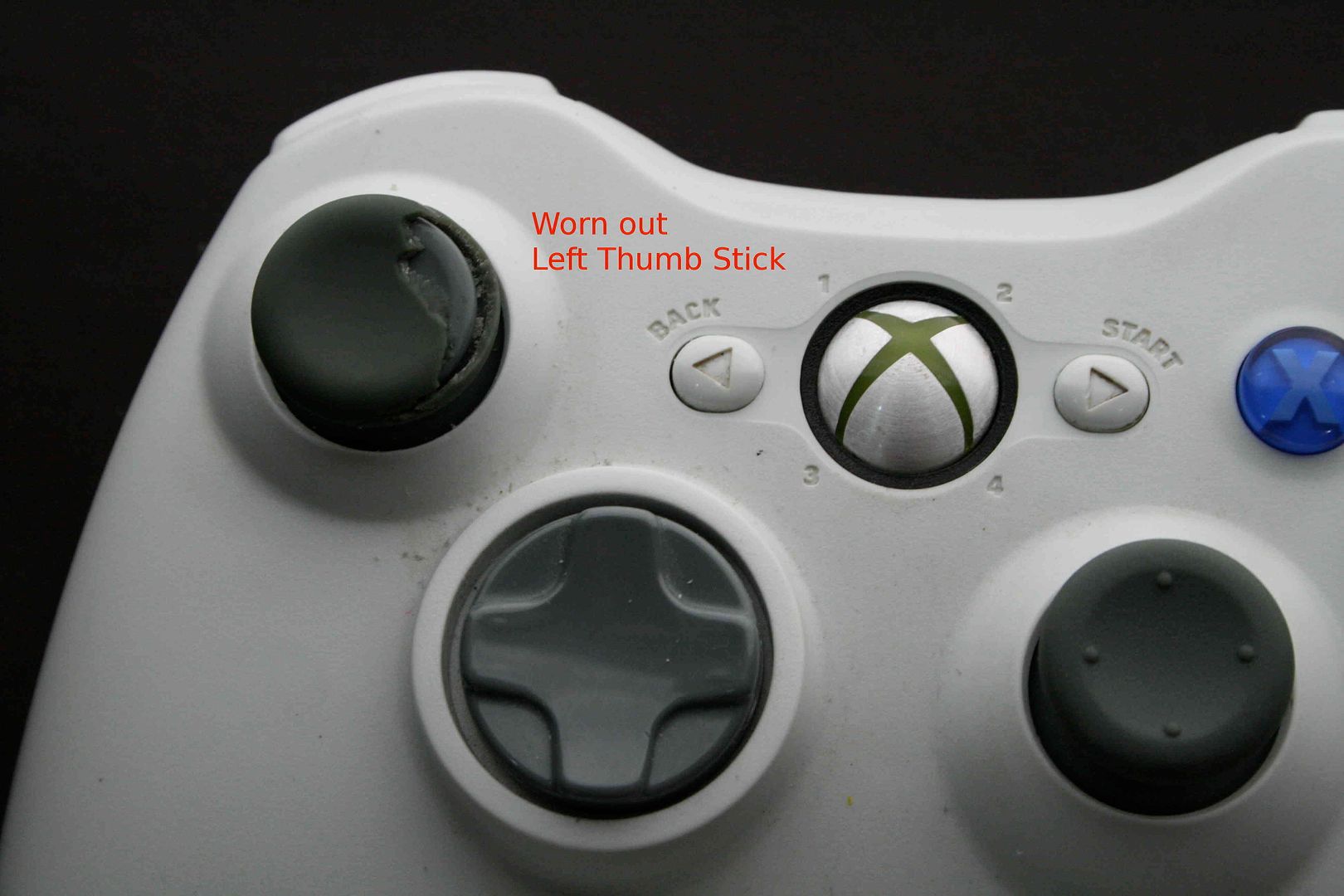
The left thumb stick of both my XBox360 controllers were worn out whereas the right one of both controllers were like new. This is probably because we play FIFA08 and seldom use the right stick.


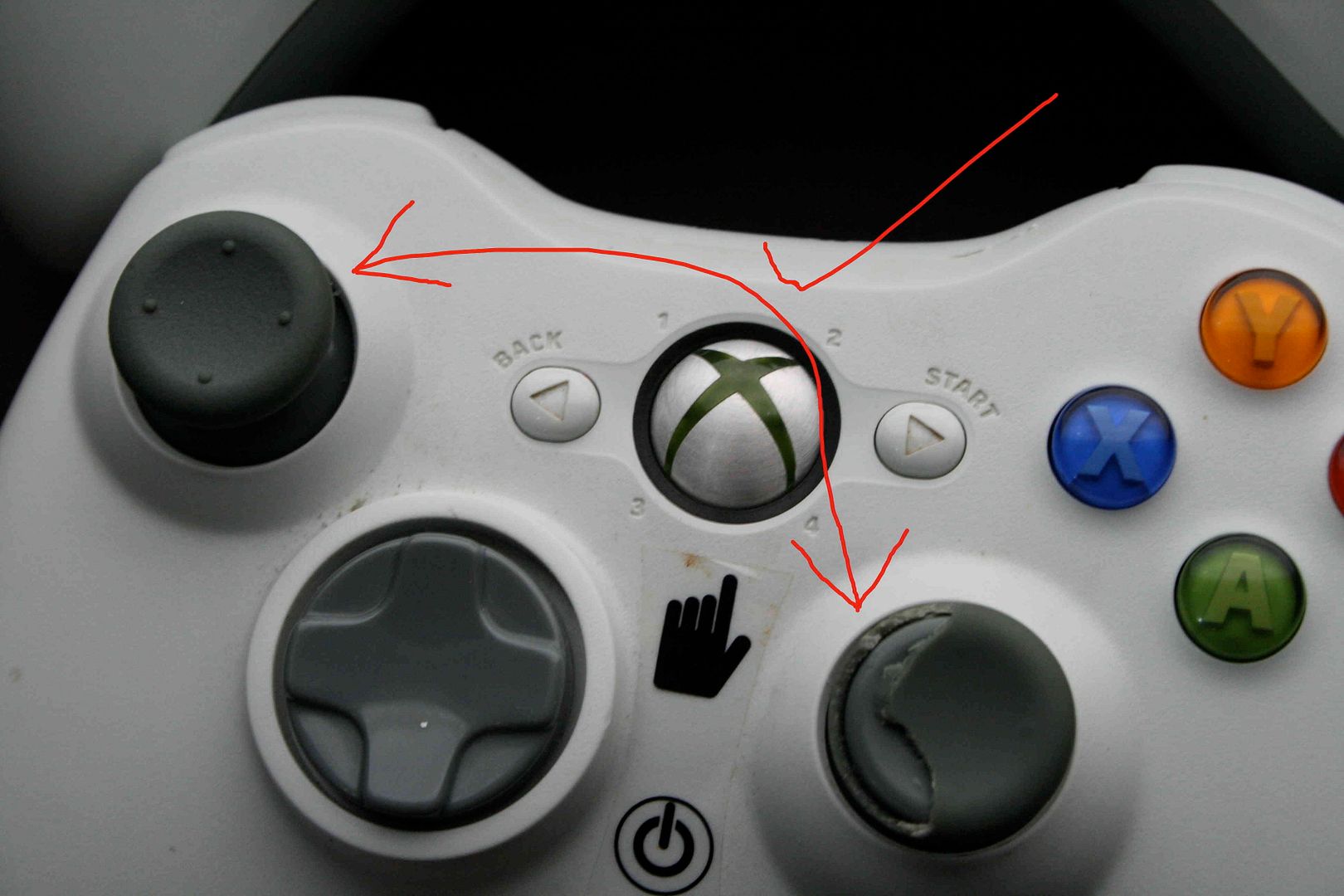
Buying a new controller would be extravagant so I decided to try switching the left and right thumb sticks for each controller.

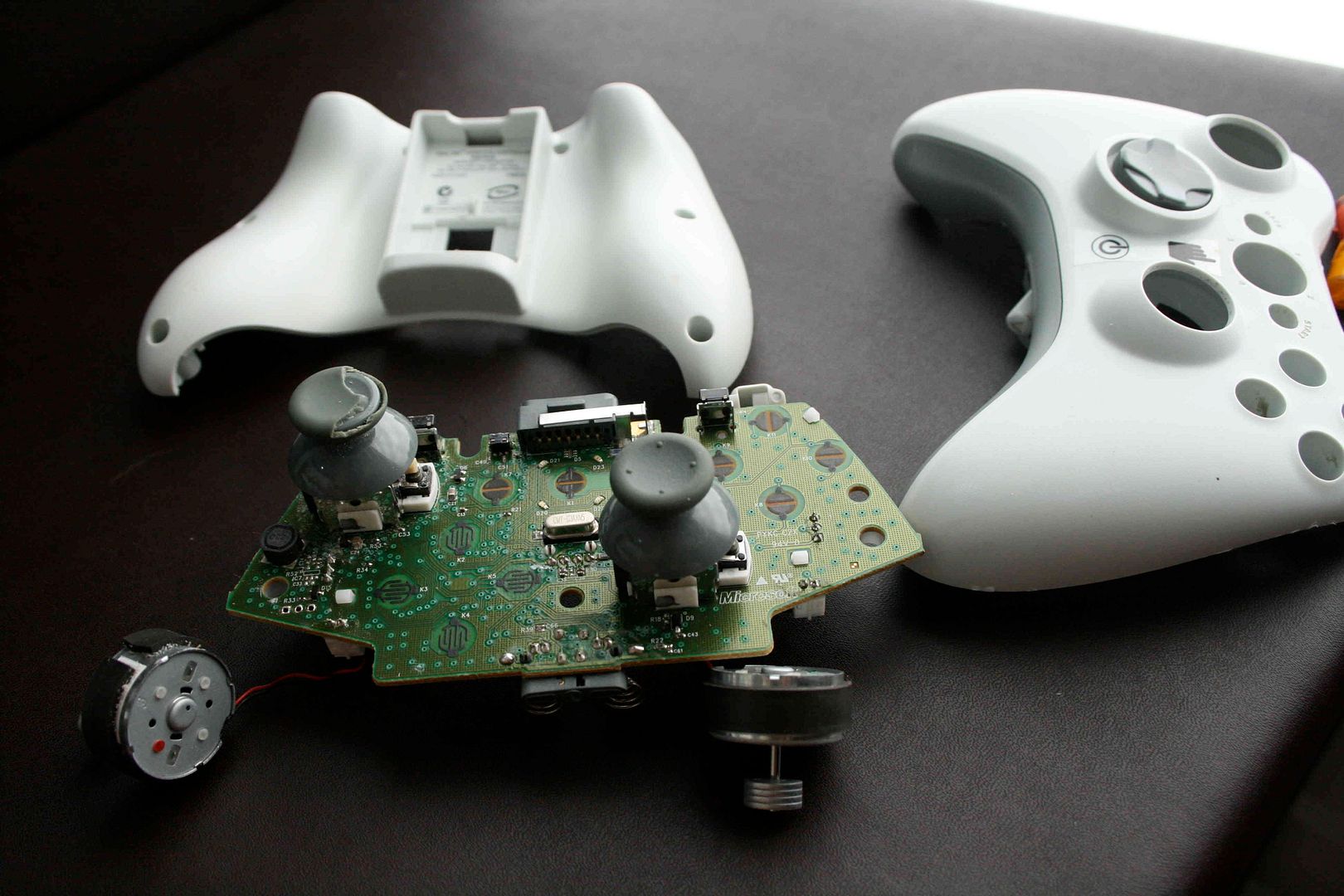
Begin by opening up the 6 obvious screws which took some doing cause I probably did not have the right screwdriver and was eroding the top of the screw and losing grip on the head. When I unscrewed all the six obvious screws, the controller would not split open

Googled and found this site which gave the tip that there was a hidden 7th screw.

Finally got the controller open.


Swopping the thumb sticks was dead easy and putting the controller back all together was easy too as each button/pad/stick would go in one way and in its own place only.

Did it:


Wednesday, February 20, 2008

iMac DVD Error - Need to Set Region

Its not often that you have a tech issue and Google it and don't find a clue on how to solve it.

Got a new iMac a couple of weeks ago and only today decided to try to use Front Row to play a DVD. Got the following error with a blank screen each time I slotted in a DVD.

"An error occurred. Press Play/Menu to quit Front Row."

Google the text above and no solution was found. Then I noticed a DVD Player app in the Applications folder. Opened DVD player and the first thing it wanted to knwo was what region I wanted to set the DVD player to. Selected my region and was able to use Front Row to play DVDs after that.

Looking back I am kind of surprised that a super friendly Mac did not tell me that I needed to set the Region first rather than give me an uninformative error message.

So the first time you run the DVD player in a Mac, set the Region first.